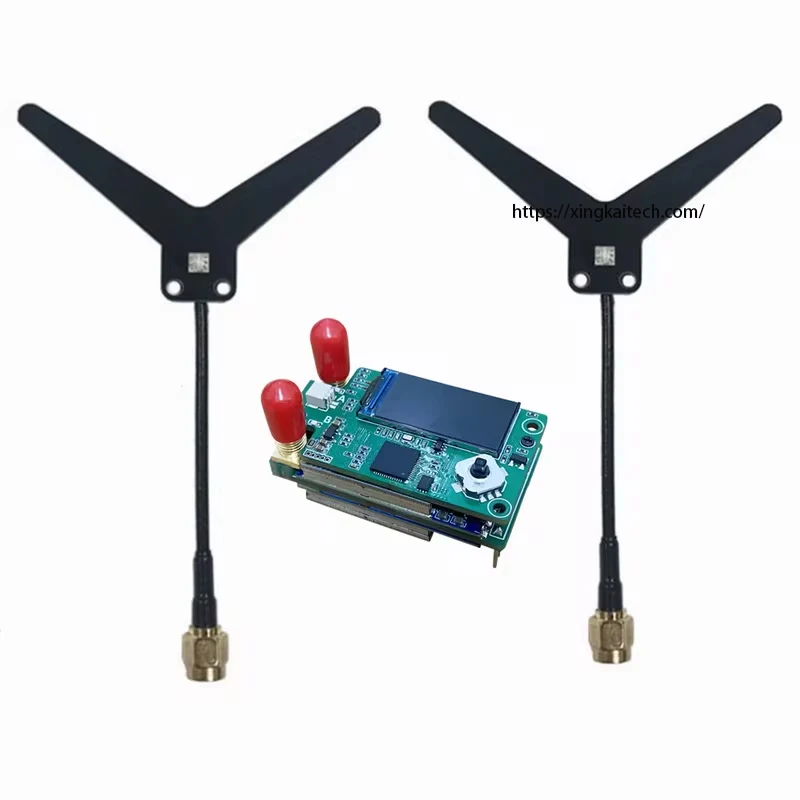
SKYZONE VRX 1,2/1,3 ГГц с двойной антенной VRX 9-канальный видеоприемник с большой полосой частот от 1080 МГц до 1360 МГц для люнетов Fatshark/DJI V1 V2 FPV Drone
Description
SKYZONE VRX 1.2/1.3Ghz Dual Antenna VRX 9CH Video Receiver Wide Band 1080Mhz To 1360Mhz For Fatshark/DJI Goggles V1 V2 FPV Drone
- 2/1.3Ghz Receiver VRX Video Receiver 9CH Wide Band (1080MHz to 1360MHz) Compatible With Fatshark Goggles ,SKYZONE Goggles,DJI Goggles V1 V2
Packing Included:
1x 1.2/1.3G Dual antenna Video Receiver
2x Dipole antenna_SMA
Specifications
| Option | Values |
|---|---|
| Produit chimique à haute préoccupation |
|
| Numéro de Modèle |
|
| Origine |
|
| Brand |
|
Product Details
SKYZONE VRX 1.2/1.3Ghz Dual Antenna VRX 9CH Video Receiver Wide Band 1080Mhz To 1360Mhz For Fatshark/DJI Goggles V1 V2 FPV Drone
1.2/1.3Ghz Receiver VRX Video Receiver 9CH Wide Band (1080MHz to 1360MHz) Compatible With Fatshark Goggles ,SKYZONE Goggles,DJI Goggles V1 V2
Specifications:
1. 9CH CH1:1080MHz, CH2:1120MHz, CH3:1160MHz, CH4:1200,MHz CH5:1240MHz, CH6:1280MHz, CH7:1320MHz, CH8:1360MHz, CH9:1258MHz
2. Button control and 0.96 TFT LCD display
3. 5V 1A DC IN
4. RF Connector: SMA
5. Compatible With Fatshark Goggles ,SKYZONE Goggles,DJI GogglesV1 V2(Need to be used in conjunction with 5.8G RX PORT module)
6. Weight: 18.5g ( w/o antanna)
7. Size: board 47*26mm
Settings
manual mode, increase the frequency up and decrease it down
Press down vertically to enter the menu
1. Automatic search, press down vertically to enter submenu - Mode 1, Mode 2 (dial up or down to switch modes, press down vertically to confirm), go left or right to return to the previous menu
2. RSSI, press down vertically to enter the submenu - RSSI calibration, RSSI output - off, dial up or down to switch If RSSI calibration is selected, press down vertically to enter the RSSI calibration submenu, and press down vertically to start calibration. 2. If RSSI output - off is selected, press down vertically to enter RSSI output or turn off RSSI submenu, switch up and down, and press down vertically to confirm. Return to the previous menu by turning left or right.
3. Receiver mode setting, automatic, switch between receiver 1 and receiver 2 by dialing up or down Return to the previous menu by turning left or right.
4. Save and exit, press down vertically to return to the frequency and RSSI display interface. After pressing save and exit, the changed settings will take effect. Power off will save the last manually or automatically adjusted frequency.
Packing Included:
1x 1.2/1.3G Dual antenna Video Receiver
2x Dipole antenna_SMA